










FreddieMeter
Open the game- Brand
- YouTube Music
- Year
- 2019
- Objective
- Engagement
- Industry
- Entertainment
- Mechanic
- Quiz & Trivia
- Platform
- Web
- Agency
- Google Creative Lab
- With
- Google Research




Objective
YouTube Music wanted a second act for Queen's viral milestone — "Bohemian Rhapsody" had just become the first pre-1990s video to hit 1 billion YouTube views — turning a passive anniversary watch into something fans could actively join. The project doubled as a showcase for Google Research's on-device machine learning and a fundraising push for the Mercury Phoenix Trust, the HIV/AIDS charity founded in FredinstrutMercury's memory.
Solution
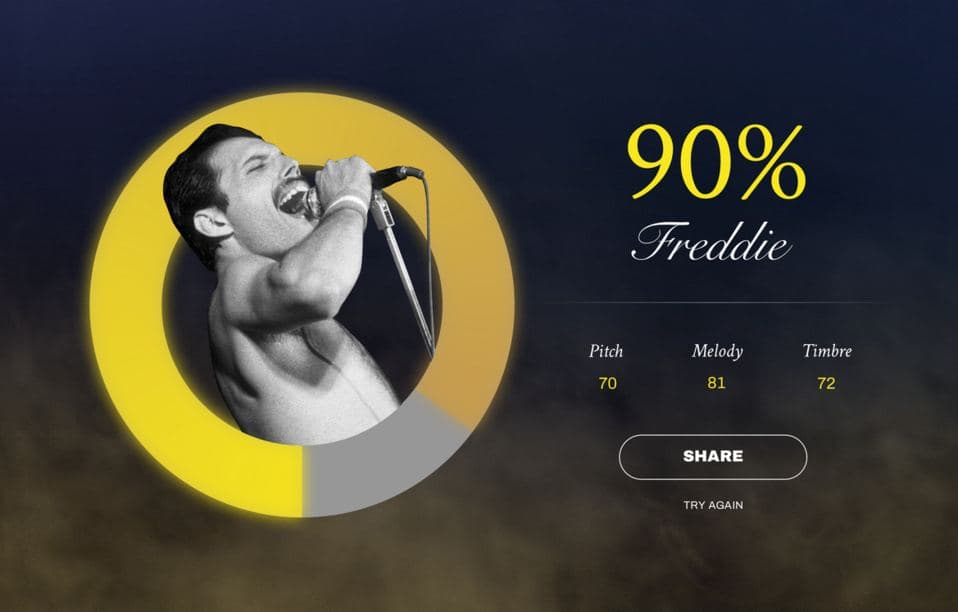
The player opens the site on a phone or desktop, no app required, and picks one of four Queen songs. On-screen lyrics cue them to sing along into their microphone for twenty seconds. When the recording ends, the machine learning model returns a single score — how close their voice came to Freddie Mercury's, out of 100 — broken down into pitch, melody, and tone. The result appears as a shareable card tagged #FreddieChallenge, inviting the player to post their score and challenge friends to beat it, with a donation link to the Mercury Phoenix Trust sitting right alongside. A note on screen reassures singers that the voice analysis happens on the device itself and nothing is uploaded.
- 1
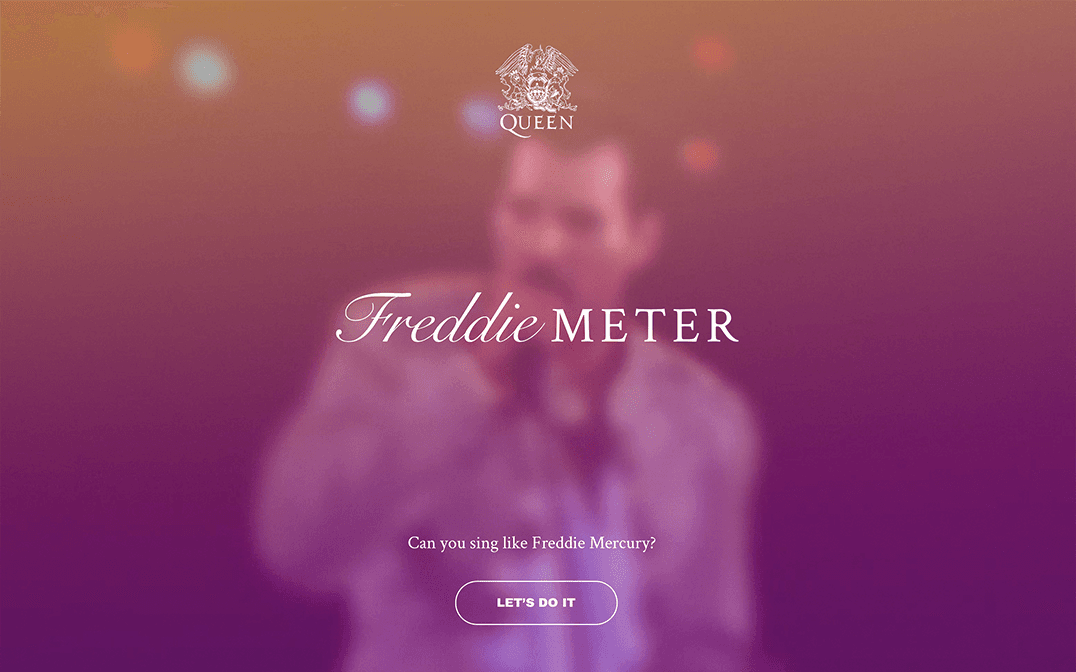
The player lands on an intro screen inviting them to find out if they can sing like Freddie Mercury, framed as a tribute to "Bohemian Rhapsody" passing 1 billion YouTube views; a single button, "Let's Do It," starts the experiment.
- 2
The player picks one of four Queen songs — "Don't Stop Me Now," "We Are the Champions," "Bohemian Rhapsody," or "Somebody To Love" — then sings it into the device microphone for twenty seconds while on-screen lyrics guide the timing.
- 3
The vocal performance is analyzed on-device rather than uploaded to a server, comparing it against machine-learning models trained on Mercury's original studio recordings.
- 4
A results screen delivers a single "How Freddie Are You?" percentage score with a reactive comment, broken down into three sub-scores — Pitch, Melody, and Timbre — each with a short explanation of what it measures.
- 5
The player can share the score card under #FreddieChallenge to dare friends to beat it, or record and download a short branded video of their performance, which is then deleted from Google's side.
- 6
A donation link to The Mercury Phoenix Trust sits alongside the results, and a "Try again" button sends the player back to song selection to retry the same song or pick another for a better score.