





MONOPOLY Game
Read the story- Brand
- McDonald's
- Year
- 2025
- Objective
- Loyalty
- Industry
- Food & Drink
- Mechanic
- Simulation & Strategy
- Platform
- App
- Agency
- Tms


Objective
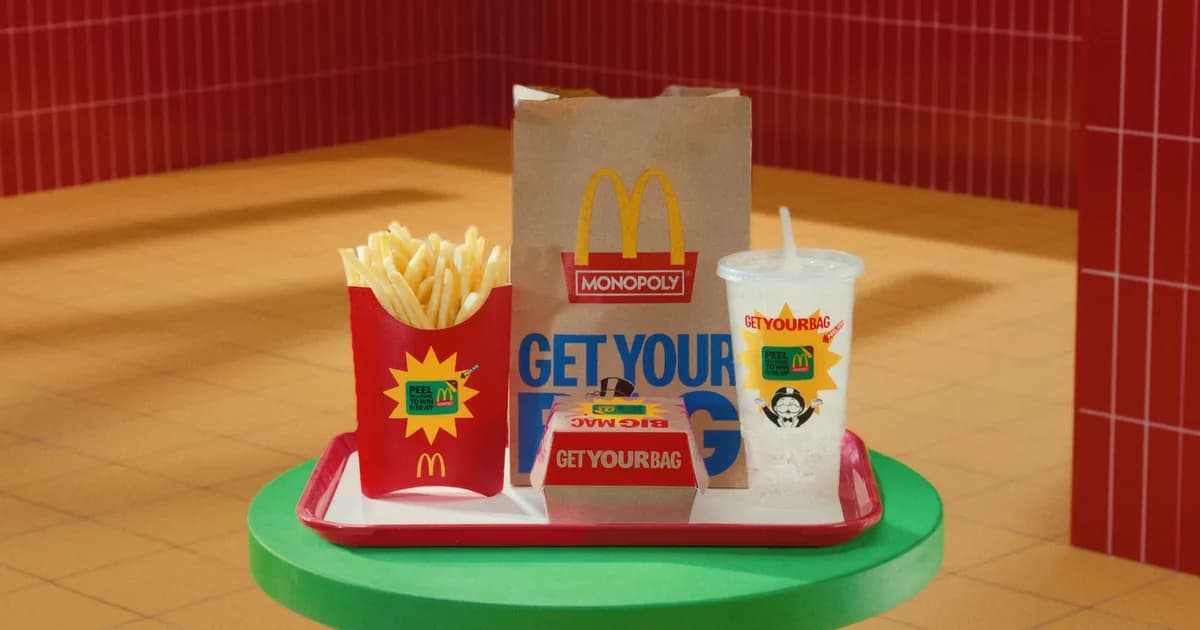
McDonald's revived Monopoly at the height of a sales slump, betting a nostalgic promotion could pull traffic back into U.S. restaurants and lift check size across a 30-plus-item value menu. The bigger prize was digital: registration ran exclusively through the McDonald's app with mandatory MyMcDonald's Rewards opt-in, turning the game into an acquisition engine for the loyalty program. Partner-funded prizing from American Airlines, Lowe's, Best Buy, Coca-Cola, Jeep, DoorDash and Universal Orlando helped underwrite the payout pool.
Solution
Players first register for the game inside the McDonald's app — signing up during the pre-registration week even earned 500 bonus Rewards points. From there, ordering a Monopoly menu item earns a game piece one of two ways: peel a paper sticker off the packaging in-restaurant, or receive a digital piece for a mobile order or Rewards code. Every piece gets revealed in the app — tapping the Monopoly banner and entering it via "Add Code," or peeling a digital sticker right on screen — to show either an instant win of food or points, or a property that's added to a running collection. Complete a color set and you unlock a bigger prize, and every single piece played also earns a Bonus Play, a second shot at in-app prizes up to $1,000,000. Players who'd rather skip the purchase can request game codes by mail through a free online entry form instead.
Results
The promotion drove nearly 500 million games played over its run. McDonald's cited Monopoly as a major driver of U.S. comparable sales growth of 6.8% in the quarter it launched, and management pointed to the game as one of the largest digital customer-acquisition events in the company's history.
- 1
Players download the McDonald's app, opt into MyMcDonald's Rewards, and register separately for the Monopoly game; registering during the pre-launch window earns bonus Rewards points.
- 2
The core loop starts with a purchase: players choose from a promotional menu of eligible food and drink items, then find and peel a game piece sticker hidden on the packaging, while supplies last.
- 3
A parallel digital path awards a game piece for a mobile order of an eligible item, or for redeeming a Rewards code, provided the player registered for the game before placing the order.
- 4
A no-purchase entry lets players submit an email address and confirm they are 18 or older on a dedicated site, receiving two mailed game codes per entry, capped at five entries and ten codes per day.
- 5
To play, players open the Monopoly section from a banner in the app, tap Add Code, and enter a physical or emailed code; a digital piece is instead peeled directly on the same in-app screen.
- 6
Each reveal produces one of two outcomes: an instant prize of free food or Rewards points, or a Monopoly property piece added to a collection board that shows which pieces are still missing.
- 7
Completing a full property set unlocks a grand prize tied to that specific set, ranging from airline miles to a retail shopping spree to a large-screen television.
- 8
Every piece played also grants a Bonus Play attempt at prizes ranging from food and gift cards to a vehicle and a cash jackpot, while scanning a set number of properties separately builds toward a store-credit reward.
- 9
Play is capped at a limited number of games per day, and the odds of winning shift over time as the pool of available prizes is drawn down.
- 10
Game piece distribution and Bonus Play end on a fixed date, after which players have a further window to play any remaining pieces and claim prizes already won.